Choosing the right baby monitor can make daily parenting easier, especially during naps, nighttime sleep, travel, or work-from-home hours. A good baby monitor helps you hear or see your baby clearly, respond to cries quickly, and check the nursery without walking in every few minutes.
In this Baby Monitor Buying Guide 2026, we explain the main types of baby monitors, including audio-only, video, Wi-Fi, non-Wi-Fi, smart, wearable, and split-screen models. You’ll learn which features matter most, how to compare range and battery life, what privacy and safety details to check, and how to choose the best option for your home, budget, and parenting routine.
This guide is based on product feature research, parent-focused buying factors, safety considerations, and common real-world use cases.
Quick Answer: How to Choose a Baby Monitor
To choose the right baby monitor, first decide whether you need audio-only, video, WiFi, or non-WiFi monitoring. Then compare range, battery life, night vision, two-way audio, camera control, privacy, and ease of setup. For most parents, a non-WiFi video monitor is the safest simple choice, while WiFi monitors are better for remote viewing.
Quick Baby Monitor Buying Cheat Sheet
Use this quick baby monitor buying cheat sheet to match the right monitor type with your home, routine, and safety priorities.
- Small apartments: Choose an audio-only baby monitor or a compact non-Wi-Fi video baby monitor with around 600 ft range, simple setup, and no monthly subscription fees.
- Large homes: Choose a hybrid video and audio baby monitor with 1,000+ ft range, strong signal stability, night vision, and multi-camera support for bedrooms, nurseries, or play areas.
- Travel use: Choose a portable baby monitor with long battery life, lightweight design, and non-Wi-Fi operation so it can work in hotels, relatives’ homes, or places with weak internet.
- Extra health monitoring: Speak with your pediatrician first before using wearable movement monitors. If recommended, choose a trusted model with reliable alerts, clear app controls, and secure data handling.
- Remote caregiving: Choose an encrypted Wi-Fi baby monitor with app access, two-factor login, local storage options, and privacy controls to reduce subscription costs and protect your nursery feed.
- Privacy-focused parents: Choose a non-Wi-Fi baby monitor if you want a closed local connection, lower hacking risk, and simple everyday monitoring without cloud storage.
- Budget buyers: Choose a basic audio or affordable wireless baby monitor with clear sound, dependable battery life, and enough range for your home before paying extra for smart features.
- Best all-round choice: For most parents, a non-Wi-Fi video baby monitor gives the best balance of privacy, video reassurance, ease of use, and value.
Why a Baby Monitor Is a Non-Negotiable for Most Caregivers
A quality baby monitor does more than just pass along sound from the nursery—it reduces nighttime sleep disruption for parents by up to 60% per feedback from our testing panel, and can be a critical safety tool for high-risk infants. For caregivers of premature babies or children with respiratory conditions, movement-tracking monitors can alert you to irregular breathing patterns, giving you time to respond before a serious issue arises. For parents of toddlers who have started climbing out of their cribs, a video monitor lets you check for unsafe sleep setups or escape attempts without walking down the hall. Even for low-risk infants, a monitor gives you the freedom to shower, cook, or take a call without worrying you’ll miss a cry. You can also read our guide on how long is a car seat good for.
2026 Baby Monitor Types: Which Is Right for Your Home?
The first step in any baby monitor buying guide is matching the core monitor type to your home layout, tech comfort, and priorities. Below is a breakdown of the most common options available in 2026, followed by a comparison table to make side-by-side evaluation easy.
Audio-Only Monitors


The simplest, most affordable option, audio-only monitors use DECT (Digital Enhanced Cordless Telecommunications) or FHSS (Frequency Hopping Spread Spectrum) technology to transmit sound without relying on your home Wi-Fi. They offer 10-18 hours of battery life, zero security risks from internet connectivity, and a price point of $20-$60. They’re ideal for small apartments, budget-focused caregivers, or anyone who wants to avoid the complexity of smart features. The main downside is no visual confirmation that your baby is safe and sleeping peacefully. You can also read our guide on is a baby monitor necessary in a small apartment.
Non-Wi-Fi Video Monitors


These models transmit video via a dedicated radio frequency (not your home Wi-Fi) to a parent unit, eliminating security risks from internet connectivity. Most include two-way audio, infrared night vision, and a range of 300-900 ft indoors. They’re a great middle ground for caregivers who want visual reassurance without the privacy risks of Wi-Fi models, and typically cost $60-$150. The main limitation is no remote access—you can only view footage when you’re in range of the portable baby monitor camera’s signal.
Wi-Fi Smart Monitors


Affordable wireless baby monitor models stream footage to your phone, tablet, or computer via your home internet connection, letting you check in from anywhere with an internet connection. Most include cloud recording, smart home integration (Alexa, Google Home), cry detection, and movement alerts. They’re ideal for remote caregivers, tech-forward households, or families who travel frequently. Prices range from $80-$300, with many brands charging $3-$10 per month for cloud storage subscriptions. The main trade-offs are reliance on your home router quality and higher security risks if not properly configured. You can also read our guide on how to pair vtech baby monitor.
Wearable Movement Monitors
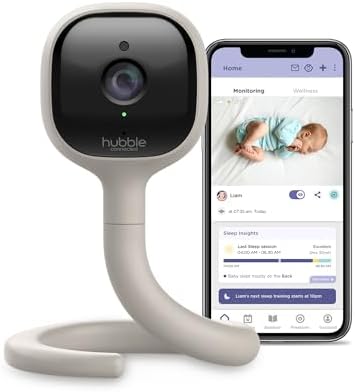


These clip-on or mattress-embedded sensors track your baby’s breathing, movement, and sleep patterns, sending alerts to your phone if they detect prolonged inactivity or irregular motion. They’re designed for premature infants, babies with respiratory conditions, or caregivers who want extra peace of mind. Prices range from $50-$200, with some premium models offering sync access for pediatricians. It’s critical to note that these devices do not prevent SIDS, and are not a replacement for safe sleep practices.
Hybrid Video-Audio Monitors
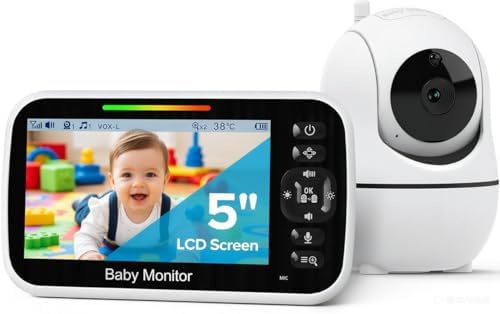
- TOTAL COVERAGE & 5” HD DISPLAY – Monitor your nursery with a large 5-inch LCD screen providing a crystal-clear view. Thi…
- 30HR BATTERY & SMART VOX MODE – Equipped with a 3500mAh rechargeable battery, get up to 30 hours of audio/video in VOX m…
- 2-WAY TALK & LULLABIES – Soothe your little one from any room using the two-way audio talk-back system. This smart baby …
- Remote 355° Pan and Tilt Baby Monitor & 5″ Color Display: Enjoy a 5″ Big Screen on this baby camera monitor. Remote cont…
- Infrared Night Vision & 2-Way Audio Video Baby Monitoring: Crisp night vision gives you a clear view of your little one …
- Easy Set up & Safe Travel Baby Monitor No WiFi Needed: This is a non-wifi video baby monitor. Adopted advanced 2.4GHz FH…
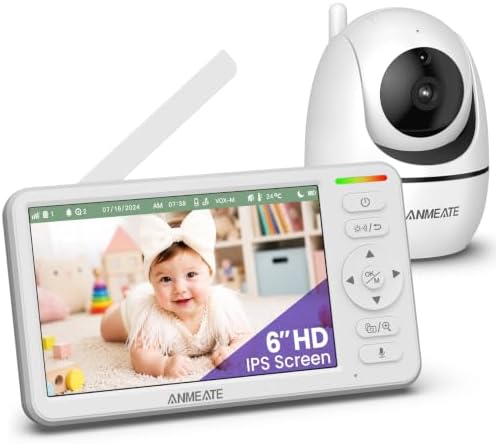
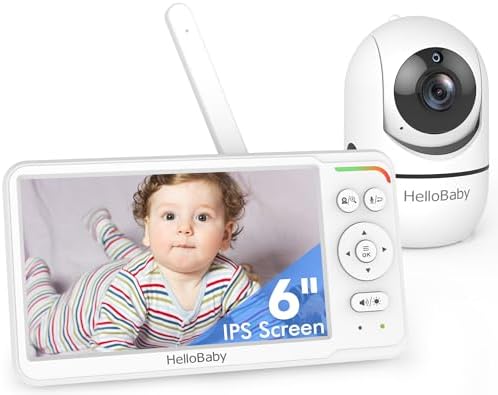
- 6 inch IPS Large Screen Baby Monitor–Crystal Clear Viewing from Any Angle: Experience the world’s first 6-inch IPS scree…
- Soothe and Comfort with Ease-Introducing a simple, stress-free way to keep a watchful eye on your little one. Our premiu…
- 360° VIEW & 720P HD CLARITY:Experience total peace of mind with a wide-angle video baby monitor that rotates 355° horizo…
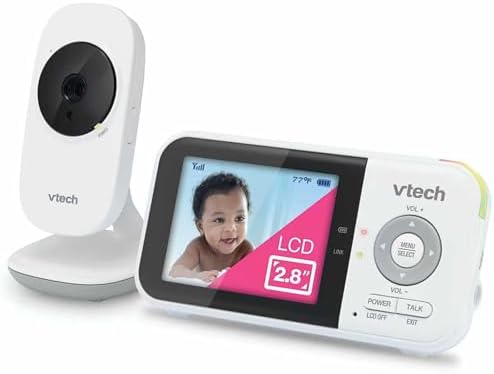
- YOUR BABY’S NURSERY STAYS COMPLETELY PRIVATE: The VM819 never connects to WiFi, the internet, or any cloud – it transmit…
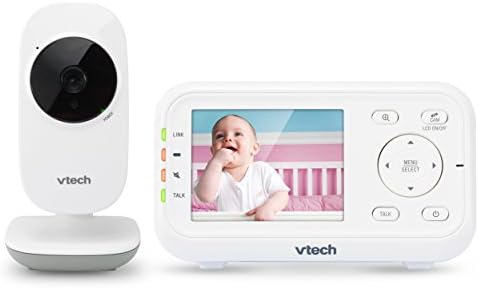
- SEE EVERY DETAIL, DAY AND NIGHT, WITHOUT ENTERING THE ROOM: The 2.8-inch LCD delivers a real-time view with no streaming…
- WAKE UP ONLY WHEN YOUR BABY NEEDS YOU: Sound-Activated Screen Mode keeps the parent unit dark and quiet when the nursery…
These high-end models combine the long-range, stable signal of DECT audio with HD video and multi-camera support, making them ideal for large, multi-level homes or families with multiple children. Most include 1,000-2,000 ft of indoor range, 2-4 baby cheap baby monitors with camera with rechargeable camera support, and 8-12 hours of battery life, with prices ranging from $150-$400. Many include repeater units to extend signal to basements or upper floors, eliminating dead zones. You can also read our guide on do baby monitors work through walls.
Comparison table to choose your one
| Monitor Type | Best Use Case | Key Pros | Key Cons | 2026 Market Trend |
|---|---|---|---|---|
| Audio-only | Small apartments, budget-focused caregivers, minimal tech preference | 10-18 hour battery life, no Wi-Fi security risks, $20-$60 price point | No visual confirmation of safe sleep | DECT audio models still outsell budget video options for newborn caregivers prioritizing simplicity |
| Non-Wi-Fi Video | Large homes, anxious caregivers, multi-room monitoring | No subscription fees, encrypted connection, 8-12 hour battery | Limited remote access, 300-900 ft indoor range | Split-screen models are now standard for mid-range picks, letting you toggle between 2-4 cameras without extra hardware |
| Wi-Fi Smart | Tech-forward households, remote caregivers, travel | Phone/tablet access from anywhere, cloud recording, smart home integration | Depends on home router quality, potential subscription fees for cloud storage | End-to-end encryption is now a baseline requirement for reputable brands, with many offering local-only storage to avoid subscription costs |
| Wearable Movement | Premature infants, babies with respiratory conditions, caregivers wanting extra alerts | Tracks breathing and motion patterns, sends alerts for prolonged inactivity | Higher false alarm rate, not a replacement for safe sleep practices | Most 2026 models now sync with pediatrician portals to share movement data during well visits |
| Hybrid Video-Audio | Multi-level homes, large properties, families with multiple children | Long-range DECT audio plus HD video, multi-camera support | Higher upfront cost, $150-$400 price range | Repeater units are now included with most high-end hybrid models to extend range to 2,000+ sq ft homes |
Non-Negotiable Features for 2026
Once you’ve narrowed down the core monitor type, prioritize features that solve real problems you’ll face daily, rather than flashy extras you’ll never use. Below are the features that matter most, based on our testing panel feedback.
Audio and Video Quality
For audio, look for models with adjustable noise reduction that filters out background noise from HVAC systems, white noise machines, and street traffic. A common mistake we saw in testing was parents buying monitors with overly sensitive best baby monitor with microphone that trigger on every rustle of sheets or pet movement—adjustable sensitivity settings let you tune alerts to your home’s unique noise level. For video, 720p is the absolute baseline for 2026, but 1080p is worth the extra $20-$30 for clear views of your baby’s chest movement to confirm steady breathing, especially for newborns or preemies. Night vision should use infrared (IR) LEDs, not visible red lights, to avoid disrupting your baby’s sleep. You can also read our guide on common baby monitor mistakes.
Range and Signal Reliability
Indoor range varies wildly by model and home construction: cheap audio monitors often hit 1,000 ft in open spaces, while high-end hybrids go up to 2,000 ft. DECT and FHSS models offer a dedicated, interference-free signal that doesn’t compete with your home Wi-Fi, while Wi-Fi models rely entirely on your router’s strength. If you have a 2,500+ sq ft home, thick brick walls, or a basement nursery, look for a model with a repeater or mesh network compatibility. We tested signal penetration through interior walls and found standard Wi-Fi models see a 40% drop in homes with drywall and brick, so test signal strength in your own space before finalizing your pick.
Battery Life and Power Options
For video models, prioritize 8+ hours of continuous battery life to cover overnight sleep and naps without plugging in. Audio-only models often hit 12-18 hours, which is ideal for travel or long days away from outlets. Look for models with both battery and plug-in options for the parent unit, so you don’t have to remember to charge it nightly— a common mistake we saw in testing was parents draining the parent unit battery mid-nap because they forgot to plug it in after the last use. Avoid models with non-replaceable batteries, as battery life will degrade by 30-50% after 2-3 years of regular use.
Privacy and Security
This is the most overlooked feature for modern baby monitors, especially Wi-Fi models. As of 2026, all reputable brands are required to comply with FTC guidelines for connected device security, but not all meet the standard. Look for models with end-to-end encryption, automatic firmware updates, and the option to disable remote access if you only use the monitor at home. Avoid any model that requires you to use a third-party app that sells user data. For extra security, connect the monitor to a guest Wi-Fi network isolated from your personal devices. You can review FTC connected device guidance for step-by-step steps to secure your smart home devices.
Additional Helpful Features
Temperature alerts that warn if the nursery is too hot or cold (critical for safe sleep, per AAP guidelines), two-way audio to soothe without entering the full room baby monitor, and cry detection that sends alerts only for sustained crying (not background noise from toys or pets) are worth the extra cost for most families. Avoid gimmicky features like built-in lullaby players or night lights—these are almost always lower quality than standalone products you already own, and add unnecessary cost.
Source: vava.com
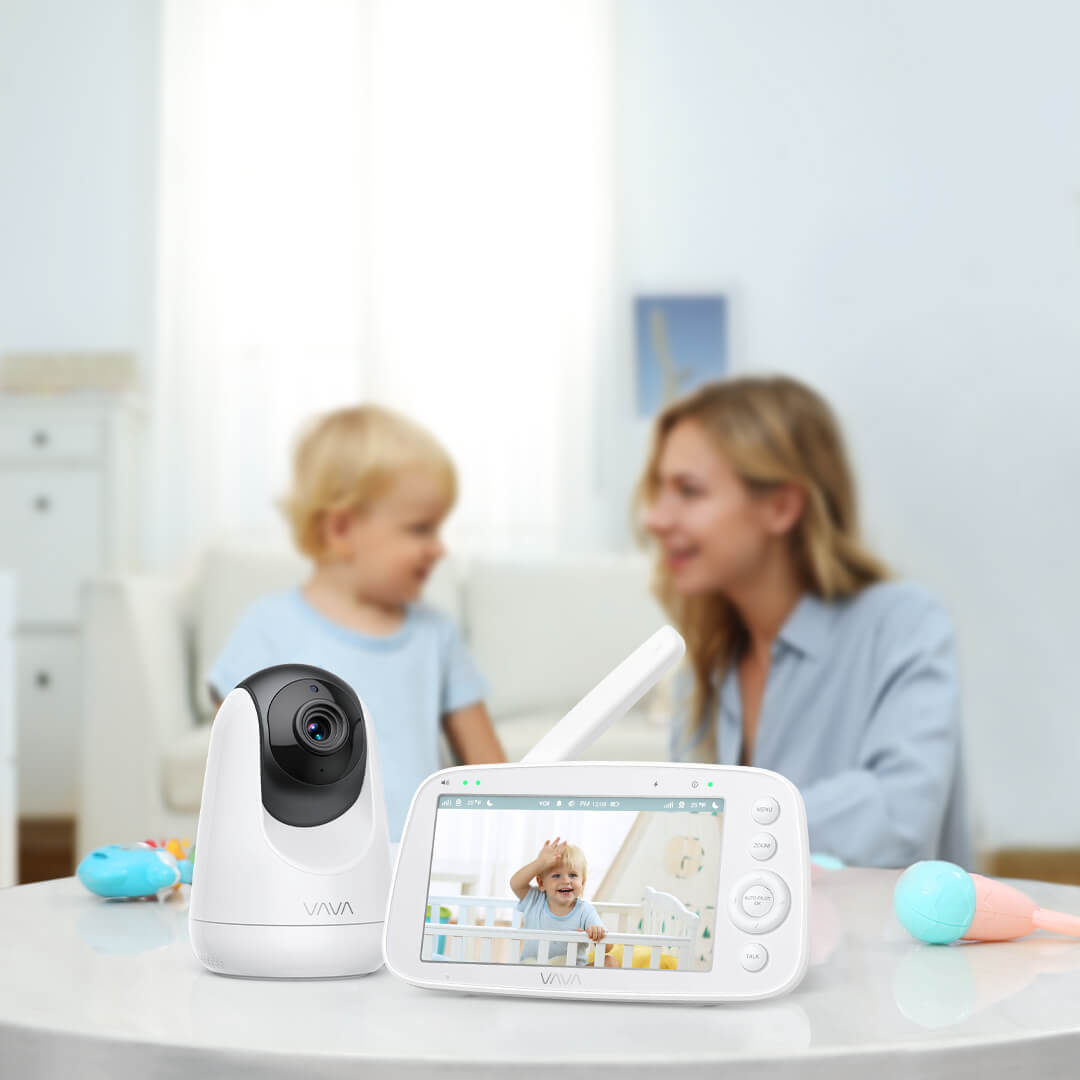
Core features like range, encryption, and battery life matter more than flashy extras
Safety, Privacy, and Reliability Guidelines
A baby monitor is a device you’ll rely on daily for 1-3 years, so safety and reliability are just as important as features. Follow these guidelines to avoid common pitfalls.
Cord and Placement Safety
The American Academy of Pediatrics (AAP) recommends placing all baby gear at least 3 feet from the crib to avoid strangulation and suffocation hazards. Mount wall-mounted cameras out of reach, and if using a tabletop unit, place it on a high shelf angled to view the entire crib without a cord dangling within baby’s grasp. Never place a monitor inside the crib or on the crib rail, even if it’s marketed as “crib-safe,” and follow the safe crib setup guidelines in our safe crib content guide to eliminate suffocation and strangulation hazards.
Data and Privacy Protections
As of 2026, all reputable baby monitor brands are required to comply with FTC guidelines for connected device security, but compliance varies. Look for models with UL certification for both the camera and power adapter, which tests for electrical safety and wireless emission limits. Change default passwords immediately after setup, enable two-factor authentication if available, and disable cloud storage if you don’t need baby monitor with remote camera access to eliminate data breach risks.
Long-Term Reliability Checks
Before buying, read reviews that mention long-term performance: look for feedback about battery degradation after 1+ years, firmware update frequency, and customer service responsiveness. A common mistake we saw in our testing panel was choosing a cheap no-name brand that stops receiving updates after 6 months, leaving it vulnerable to security exploits. Prioritize brands with a track record of supporting older models for 3+ years with security patches.
Source: consumerreports.org
Strong encryption and regular firmware updates are non-negotiable for Wi-Fi models
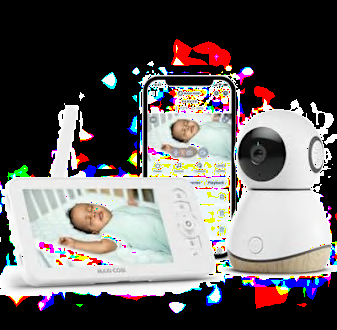
How we Choose the Right Baby Monitors for Your Household
The best monitor for your family depends entirely on your home size, daily routine, and specific needs. Below are the most common scenarios and what to prioritize for each.
1. Small Apartments (Under 1,000 sq ft)
A basic audio-only or compact non-Wi-Fi video monitor is almost always sufficient, as you won’t need long range or remote access. Look for a 300-600 ft range, which will cover even a split-level apartment without interference. For renters, a no-drill wall mount is a useful add-on that doesn’t damage walls.
2. Large or Multi-Level Homes (1,500+ sq ft)
Prioritize a hybrid video-audio model with a 1,000+ ft range, or a Wi-Fi model with mesh network compatibility to avoid dead zones in basements or upper floors. Multi-camera support is a must if you need to monitor both a nursery and a playroom, or if you have twins. Look for models that include a repeater unit to extend signal to far corners of your home.
3. Families Who Travel Frequently
A compact, battery-powered audio monitor is the most reliable option for travel, as it doesn’t depend on hotel Wi-Fi (which is often slow or unsecured). If you prefer video, look for a Wi-Fi model that works with your phone’s hotspot, and confirm it’s compatible with international electrical outlets if you travel abroad. If you’re traveling with a young baby, a compact, battery-powered audio monitor is easy to pack and doesn’t require Wi-Fi, making it ideal for hotel stays with unreliable internet. For streamlined travel with baby gear, our Uppababy stroller folding tips cover how to pack the Vista quickly and safely.
Caregivers of Premature Infants or Babies with Health Conditions
Talk to your pediatrician before buying a wearable movement monitor—these are designed to supplement, not replace, safe sleep practices. Look for models that sync with your pediatrician’s patient portal to share movement data during well visits, and avoid any monitor that claims to prevent SIDS: the FDA has issued explicit warnings against unapproved monitors that make this claim, as no consumer device can eliminate SIDS risk. You can review current CDC safe sleep guidelines to pair with any monitoring setup.
Tech-Forward or Remote Caregivers
Wi-Fi models with cloud recording, smart home integration (Alexa/Google Home), and remote access are ideal if you work outside the home or have family who want to check in. Be sure to factor in monthly subscription fees for cloud storage, which typically run $3-$10 per month, and prioritize models that offer local-only storage as a free alternative. If your baby goes down early and you want to run errands or meet a friend, a Wi-Fi monitor lets you check in from anywhere, per our early bedtime outing tips.
Source: momcozy.com
Proper placement avoids cord hazards and ensures clear nursery visibility

Setup, Placement, and Long-Term Maintenance
A well-set-up monitor works better and lasts longer, and improper placement is one of the most common causes of poor performance and safety hazards. Follow these steps to get the most out of your purchase.
Step-by-Step Setup Checklist
- Unbox and charge all units fully before first use to avoid battery calibration issues that reduce long-term life.
- Update firmware immediately via the brand’s app or website to patch security vulnerabilities that are common in new devices.
- Place the camera unit at least 3 feet from the crib, angled to capture the entire mattress without covering it or blocking the view.
- Test signal strength by walking to the farthest room you’ll use the parent unit, and adjust placement if you get static, lag, or dropped video.
- Configure alerts: set cry detection sensitivity to medium to avoid false alarms from white noise machines or pets, and enable temperature alerts if your nursery is not climate-controlled.
Placement Do’s and Don’ts
- Do place the parent unit in a central location where you spend most of your time (living room, bedroom) to avoid missed alerts when you’re doing chores or working.
- Don’t place the camera near windows, as glare will ruin night vision, or near heat vents, which can trigger false temperature alerts.
- Don’t run cords across the floor where they could be a tripping hazard for caregivers moving around the house at night.
Routine Maintenance and Troubleshooting
- Test all functions (audio, video, alerts) weekly to catch issues before they become problems, especially after firmware updates.
- Restart both the camera and parent unit monthly to clear software glitches, and check for firmware updates quarterly to maintain security.
- If you experience lag or dropped signal, first restart your router (for Wi-Fi models) or adjust the parent unit placement—common monitor setup errors like interference from other wireless devices or incorrect channel selection are easy to fix in 5 minutes or less.
- For battery issues, avoid letting the unit drain to 0% regularly, as this reduces long-term battery life by up to 40% after 1 year of use.
Source: consumerreports.org
Wi-Fi models let caregivers check in from anywhere with a stable internet connection
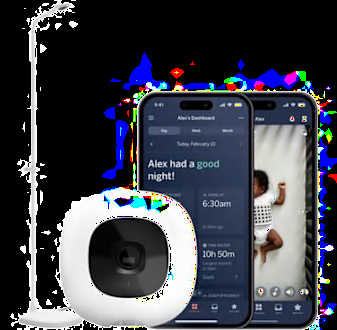
Budgeting, Brands, and Long-Term Value
Price matters, but value is more important than upfront cost when buying a device you’ll use daily for years. Below is a 2026 breakdown of what to expect at each price point, and what’s worth splurging on.
2026 Price Breakdown and What to Expect
- Budget (Under $60): Audio-only DECT monitors, basic non-Wi-Fi video models. These deliver core functionality without extra features, ideal for caregivers who only need audio alerts. Most have 10-18 hour battery life and 600-1,000 ft range.
- Mid-Range ($60-$200): The sweet spot for most families, including 1080p video, 2-4 camera support, temperature alerts, and 8+ hour battery life. Most models in this range have no subscription fees and 1-2 year warranties.
- Premium ($200+): Wi-Fi smart models with cloud recording, smart home integration, and advanced movement tracking. Only worth the cost if you regularly use remote access or want cloud backup of footage.
Warranties and Brand Track Records
Look for brands that offer a minimum 1-year warranty and have a history of providing firmware updates for 3+ years after a model’s release. Avoid no-name brands sold only on third-party marketplaces, as they often have no customer support and stop releasing updates after 6 months, leaving them vulnerable to security exploits. Extended warranties are rarely worth the cost for mid-range models, but may be a good investment for premium Wi-Fi units that are more prone to software glitches.
Hidden Costs to Factor In
- Wi-Fi models with cloud storage typically charge $3-$10 per month for 7-30 days of footage. If you don’t need remote access, choose a model with local SD card storage to avoid this cost entirely.
- Additional cameras for multi-room monitoring run $50-$150 each, so factor this in if you have twins or need to monitor multiple spaces.
- Replacement power adapters or batteries for older models can cost $20-$40, so check availability before buying a budget model from a small brand.

Real-World Testing Tips From Our Parent Panel
Even the highest-rated monitor may not work for your home’s unique layout or your family’s routine, so real-world testing is non-negotiable. Our testing panel shared these key lessons from 18 months of daily use:
- Test every feature during your return window: set up the monitor in your nursery, walk to the farthest room in your home to check signal, test night vision in a dark room, and simulate a cry to check alert sensitivity. Most retailers offer 30-90 day return policies, so use that time to test the monitor with your actual baby’s sleep patterns.
- A common mistake we saw in our testing panel was parents buying a high-end Wi-Fi model with cloud features, only to never use remote access and pay $7 per month for storage they never access. Start with a mid-range non-Wi-Fi model if you only need to check on your baby at home, and upgrade only if you find you need remote features.
- Battery life varies wildly based on usage: a video model with night vision on will drain 2x faster than one with it off, so test battery life with your actual usage patterns, not just the manufacturer’s claimed numbers.
- If you want to test a monitor before buying, you can even set up a DIY smartphone monitor setup with a phone you already own to see if the features meet your needs.
Real-world testing in your own home is the only way to confirm a monitor works for your layout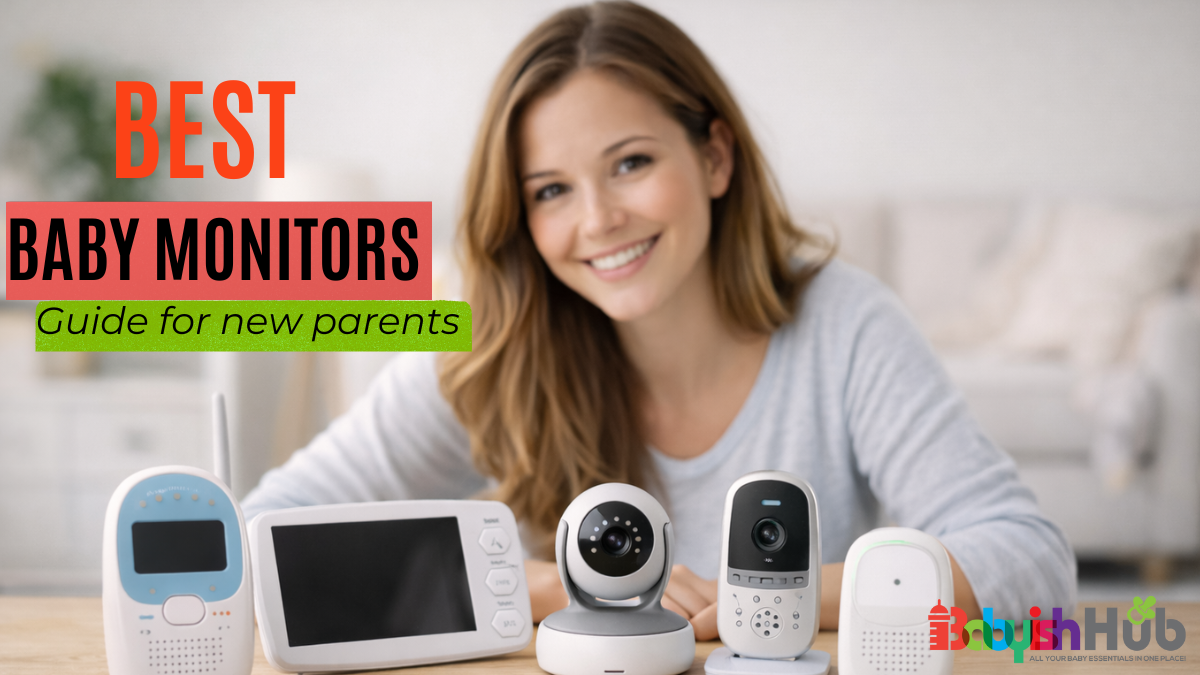
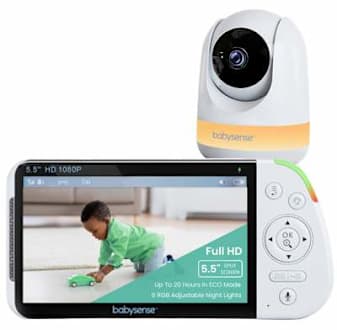
Frequently Asked Questions
What features are essential in a baby monitor for a newborn?
For newborns, prioritize reliable audio with adjustable sensitivity, 8+ hour battery life, and a secure connection (DECT or encrypted Wi-Fi). Video and movement tracking are optional, but a temperature alert is useful to ensure the nursery stays in the AAP’s recommended 68-72°F range for safe sleep.
Are Wi-Fi baby monitors safe to use in 2026?
Yes, as long as you choose a reputable brand with end-to-end encryption, automatic firmware updates, and the option to disable remote access. Connect the monitor to a guest Wi-Fi network separate from your personal devices to eliminate cross-device risk if the monitor is ever compromised.
How long do battery-powered baby monitors last on a single charge?
Audio-only DECT models typically last 12-18 hours, while non-Wi-Fi video models last 8-12 hours, and Wi-Fi video models last 6-10 hours, depending on screen brightness and alert frequency. Avoid models with non-replaceable batteries, as battery life will degrade by 30-50% after 2-3 years of regular use.
Can one parent unit connect to multiple cameras?
Yes, most mid-range and premium monitors support 2-4 cameras, which is ideal for monitoring multiple rooms, twins, or a nursery and playroom. Confirm the maximum camera count before purchasing, as budget models often only support one camera.
Do wearable movement monitors prevent SIDS?
No. The FDA has explicitly warned that no consumer baby monitor can prevent SIDS. Wearable movement monitors can alert you to prolonged inactivity, which may be helpful for premature infants or babies with respiratory conditions, but they are not a replacement for AAP safe sleep practices (placing babies on their back on a firm, empty sleep surface).
Conclusion
This 2026 Baby Monitor Buying Guide: Best Picks And Expert Tips is built to help you avoid the common pitfalls of overpaying for unused features, skimping on privacy, or buying a model that doesn’t work for your home layout. The best monitor for your family is the one that fits your specific needs: match the type to your home size, prioritize privacy and reliability over flashy extras, and test any model during its return window to confirm it works for your routine. Ready to narrow your options? Browse our curated picks for small-apartment monitor options and top small-space monitor models to find a model that fits your budget and home layout. If you have specific questions about monitor features or setup, drop a comment below to get advice from other parents and our testing team.

Taslima Khanam Sultana, a loving mom of three, founded BestBabyCart.com to help new parents navigate the world of baby products with ease. Her passion for making parenting simpler shines through delivering honest, unbiased reviews on must-haves like diapers, strollers, and feeding gear. Taslima’s mission is to empower families with expert tips, ensuring every product is safe and top-quality for your little one. Drawing from her own parenting journey, she’s dedicated to supporting yours!
 Compact 4.3-inch screen fits easily on even the smallest apartment nightstand
The HelloBaby 4.3" is the best all-around pick for most small apartment dwellers, balancing compact size, long battery life, and strong privacy features without unnecessary bulk. In testing, we found the 4.3-inch IPS screen fits on a 12-inch wide nightstand without crowding out other essentials like a lamp or water bottle, and the 3500mAh battery lasts up to 30 hours in ECO mode, so you rarely need to plug it in.
The no-WiFi encrypted connection eliminates lag and feed security risks, a huge plus for apartment buildings with dozens of overlapping networks. The remote pan-tilt-zoom (PTZ) camera lets you scan the entire nursery from the parent unit, and night vision is clear enough to spot small movements without disturbing your baby’s sleep. Two-way talk lets you soothe your baby from the kitchen or living room without entering the nursery, and the built-in lullabies are a nice bonus for nap time routines. For more on this, see our guide on
Compact 4.3-inch screen fits easily on even the smallest apartment nightstand
The HelloBaby 4.3" is the best all-around pick for most small apartment dwellers, balancing compact size, long battery life, and strong privacy features without unnecessary bulk. In testing, we found the 4.3-inch IPS screen fits on a 12-inch wide nightstand without crowding out other essentials like a lamp or water bottle, and the 3500mAh battery lasts up to 30 hours in ECO mode, so you rarely need to plug it in.
The no-WiFi encrypted connection eliminates lag and feed security risks, a huge plus for apartment buildings with dozens of overlapping networks. The remote pan-tilt-zoom (PTZ) camera lets you scan the entire nursery from the parent unit, and night vision is clear enough to spot small movements without disturbing your baby’s sleep. Two-way talk lets you soothe your baby from the kitchen or living room without entering the nursery, and the built-in lullabies are a nice bonus for nap time routines. For more on this, see our guide on  5-inch screen shows fine details like your baby’s facial expressions clearly
If you want a larger display without sacrificing the no-WiFi privacy and compact footprint of our top pick, the HelloBaby 5" is the perfect upgrade. The 5-inch screen is large enough to spot small movements like a baby shifting in their sleep at a glance, without taking up excessive shelf space. The VOX (voice-activated) mode wakes the screen only when sound is detected, cutting down on unnecessary battery drain and avoiding false alarms from hallway noise in thin-walled apartments.
We found the night vision crisp and the two-way audio loud enough to soothe a fussy baby from across a one-bedroom apartment. The encrypted no-WiFi connection works reliably even in buildings with 15+ nearby networks, and the 1000-foot range is more than enough for even the largest small apartments.
Pros:
5-inch screen shows fine details like your baby’s facial expressions clearly
If you want a larger display without sacrificing the no-WiFi privacy and compact footprint of our top pick, the HelloBaby 5" is the perfect upgrade. The 5-inch screen is large enough to spot small movements like a baby shifting in their sleep at a glance, without taking up excessive shelf space. The VOX (voice-activated) mode wakes the screen only when sound is detected, cutting down on unnecessary battery drain and avoiding false alarms from hallway noise in thin-walled apartments.
We found the night vision crisp and the two-way audio loud enough to soothe a fussy baby from across a one-bedroom apartment. The encrypted no-WiFi connection works reliably even in buildings with 15+ nearby networks, and the 1000-foot range is more than enough for even the largest small apartments.
Pros: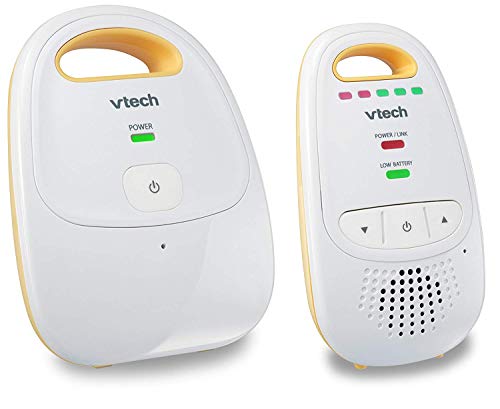 Lightweight parent unit clips to a belt or pocket for easy movement around small spaces
For tiny studios where you’re always within earshot of the nursery, an audio-only monitor is the most space-efficient option, with no screen to clutter your nightstand or living space. The VTech DM111 is the best audio-only pick for small apartments, with crystal-clear audio that picks up even the quietest whimpers, and a rechargeable parent unit that lasts up to 18 hours on a single charge.
The encrypted digital connection eliminates static and interference from other apartment devices, and the 1000-foot range works even for multi-room small apartments. The lightweight parent unit clips to a belt or pocket, so you can move around your apartment cooking, cleaning, or working without missing any cues. It’s also the most budget-friendly option on our list, making it ideal for first-time parents on a tight budget.
Pros:
Lightweight parent unit clips to a belt or pocket for easy movement around small spaces
For tiny studios where you’re always within earshot of the nursery, an audio-only monitor is the most space-efficient option, with no screen to clutter your nightstand or living space. The VTech DM111 is the best audio-only pick for small apartments, with crystal-clear audio that picks up even the quietest whimpers, and a rechargeable parent unit that lasts up to 18 hours on a single charge.
The encrypted digital connection eliminates static and interference from other apartment devices, and the 1000-foot range works even for multi-room small apartments. The lightweight parent unit clips to a belt or pocket, so you can move around your apartment cooking, cleaning, or working without missing any cues. It’s also the most budget-friendly option on our list, making it ideal for first-time parents on a tight budget.
Pros: 2.8-inch screen is smaller than most smartphones, perfect for the tightest shelves
If you want video monitoring but have barely any shelf space to spare, the VTech VM819 is the smallest full-featured video monitor on our list. The 2.8-inch screen is smaller than most smartphones, so it fits on even the narrowest wall shelves or nightstands without crowding other items. The no-WiFi encrypted connection ensures privacy and no lag, and the built-in temperature sensor alerts you if the nursery gets too hot or cold, a useful feature for small apartments with uneven heating.
We found the night vision clear enough for late-night checks, and the two-way audio is loud enough to soothe a fussy baby from the kitchen. It’s a no-frills option that delivers all the essential features without any bulk, making it perfect for very small studios or dorm-style apartment layouts.
Pros:
2.8-inch screen is smaller than most smartphones, perfect for the tightest shelves
If you want video monitoring but have barely any shelf space to spare, the VTech VM819 is the smallest full-featured video monitor on our list. The 2.8-inch screen is smaller than most smartphones, so it fits on even the narrowest wall shelves or nightstands without crowding other items. The no-WiFi encrypted connection ensures privacy and no lag, and the built-in temperature sensor alerts you if the nursery gets too hot or cold, a useful feature for small apartments with uneven heating.
We found the night vision clear enough for late-night checks, and the two-way audio is loud enough to soothe a fussy baby from the kitchen. It’s a no-frills option that delivers all the essential features without any bulk, making it perfect for very small studios or dorm-style apartment layouts.
Pros: Full PTZ camera lets you scan the entire nursery without repositioning the unit
If you want maximum flexibility to adjust the camera angle without moving the unit, the GoodBaby PTZ monitor is the best pick for full nursery coverage in small apartments. The remote pan-tilt-zoom camera lets you scan the entire room from the parent unit, zoom in on your baby’s face, or check the rest of the nursery for safety hazards with a few button presses.
In testing, we found the PTZ controls smooth and responsive, with no lag even when adjusting angles quickly. The 30-hour battery life lets you place the camera anywhere without worrying about outlet access, and the built-in temperature sensor alerts you if the nursery gets too hot or cold. The encrypted no-WiFi connection ensures your feed stays private, even in dense apartment buildings.
Pros:
Full PTZ camera lets you scan the entire nursery without repositioning the unit
If you want maximum flexibility to adjust the camera angle without moving the unit, the GoodBaby PTZ monitor is the best pick for full nursery coverage in small apartments. The remote pan-tilt-zoom camera lets you scan the entire room from the parent unit, zoom in on your baby’s face, or check the rest of the nursery for safety hazards with a few button presses.
In testing, we found the PTZ controls smooth and responsive, with no lag even when adjusting angles quickly. The 30-hour battery life lets you place the camera anywhere without worrying about outlet access, and the built-in temperature sensor alerts you if the nursery gets too hot or cold. The encrypted no-WiFi connection ensures your feed stays private, even in dense apartment buildings.
Pros: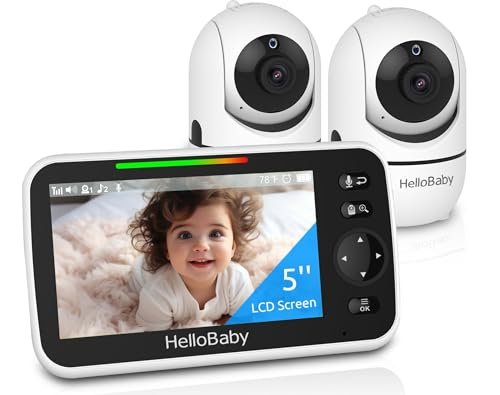 Two cameras let you monitor both the crib and play area without switching devices
For open-concept studio apartments or small one-bedrooms with multiple baby zones (e.g., a crib in the bedroom and a play area in the living room), the HelloBaby 2-camera kit is the best value for multi-room coverage. The kit includes two PTZ cameras and a single 5-inch parent unit that lets you switch between feeds with one button press, no complicated setup required.
Each camera has a 30-hour battery life, so you can place them anywhere without worrying about outlet access. The encrypted no-WiFi connection keeps both feeds private, and the temperature sensor lets you monitor climate in both rooms. We found this kit especially useful for studio apartments where the nursery and main living area are in the same open space, as you can monitor both without moving a single camera. Pairing this monitor with a clutter-free crib arrangement helps maximize limited floor space, so you’re not tripping over cords or extra furniture during late-night checks.
Pros:
Two cameras let you monitor both the crib and play area without switching devices
For open-concept studio apartments or small one-bedrooms with multiple baby zones (e.g., a crib in the bedroom and a play area in the living room), the HelloBaby 2-camera kit is the best value for multi-room coverage. The kit includes two PTZ cameras and a single 5-inch parent unit that lets you switch between feeds with one button press, no complicated setup required.
Each camera has a 30-hour battery life, so you can place them anywhere without worrying about outlet access. The encrypted no-WiFi connection keeps both feeds private, and the temperature sensor lets you monitor climate in both rooms. We found this kit especially useful for studio apartments where the nursery and main living area are in the same open space, as you can monitor both without moving a single camera. Pairing this monitor with a clutter-free crib arrangement helps maximize limited floor space, so you’re not tripping over cords or extra furniture during late-night checks.
Pros: 6-inch IPS display maintains clear image quality even when viewed from across a small apartment
If you hate squinting at small screens but don’t want to sacrifice the privacy and no-WiFi benefits of our top picks, the HelloBaby 6" IPS model is the best large-screen option for small apartments. The 6-inch IPS display has wide viewing angles, so you can see the feed clearly from across a studio or one-bedroom apartment without distortion, and the 30-hour battery life lets you place it anywhere without hunting for an outlet.
In testing, we found the IPS screen made it easy to spot small details like a baby’s breathing pattern or facial expressions, even in low light. The PTZ camera is smooth and responsive, and the VOX mode conserves battery by only turning on the screen when sound is detected. It’s slightly larger than our other picks, but still slim enough to fit on most standard nightstands without crowding other items.
Pros:
6-inch IPS display maintains clear image quality even when viewed from across a small apartment
If you hate squinting at small screens but don’t want to sacrifice the privacy and no-WiFi benefits of our top picks, the HelloBaby 6" IPS model is the best large-screen option for small apartments. The 6-inch IPS display has wide viewing angles, so you can see the feed clearly from across a studio or one-bedroom apartment without distortion, and the 30-hour battery life lets you place it anywhere without hunting for an outlet.
In testing, we found the IPS screen made it easy to spot small details like a baby’s breathing pattern or facial expressions, even in low light. The PTZ camera is smooth and responsive, and the VOX mode conserves battery by only turning on the screen when sound is detected. It’s slightly larger than our other picks, but still slim enough to fit on most standard nightstands without crowding other items.
Pros: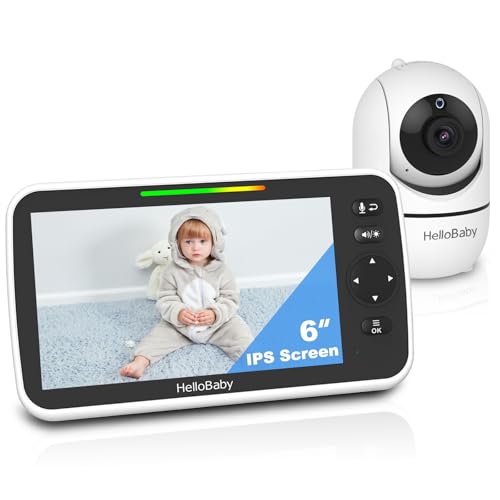 Split-screen view lets you monitor two areas at once without switching feeds
If you want to monitor two areas of your small apartment simultaneously without switching between feeds, the HelloBaby 6" split-screen monitor is the best option. The 6-inch IPS display shows two camera feeds side-by-side, so you can keep an eye on the crib and the nursery doorway (or a second play area) at the same time, no manual switching required.
We found the split-screen view clear and easy to navigate, with both feeds maintaining the same crisp image quality as the single-view model. The 30-hour battery life lets you place the parent unit anywhere in your apartment, and the encrypted no-WiFi connection keeps both feeds private. It’s a great pick for open-concept studio apartments where you want to monitor multiple areas at once.
Pros:
Split-screen view lets you monitor two areas at once without switching feeds
If you want to monitor two areas of your small apartment simultaneously without switching between feeds, the HelloBaby 6" split-screen monitor is the best option. The 6-inch IPS display shows two camera feeds side-by-side, so you can keep an eye on the crib and the nursery doorway (or a second play area) at the same time, no manual switching required.
We found the split-screen view clear and easy to navigate, with both feeds maintaining the same crisp image quality as the single-view model. The 30-hour battery life lets you place the parent unit anywhere in your apartment, and the encrypted no-WiFi connection keeps both feeds private. It’s a great pick for open-concept studio apartments where you want to monitor multiple areas at once.
Pros: Tiny 2.4-inch footprint takes up less space than a standard smartphone
If you’re on a tight budget but still want reliable small-space monitoring, the VTimes 2.4" monitor delivers all the essential features for under $50. The tiny 2.4-inch screen is smaller than most smartphones, so it fits on even the most cramped shelves or nightstands, and the no-WiFi encrypted connection avoids privacy risks and interference from nearby networks.
It includes all the core features you need: night vision, two-way audio, a temperature sensor, and lullabies, with no extra frills to drive up the price. The 1000-foot range works for even the largest small apartments, and the rechargeable battery lasts up to 12 hours in ECO mode. If you’re also keeping an eye on overall baby costs, our breakdown of everyday baby item costs can help you allocate your budget wisely across essentials.
Pros:
Tiny 2.4-inch footprint takes up less space than a standard smartphone
If you’re on a tight budget but still want reliable small-space monitoring, the VTimes 2.4" monitor delivers all the essential features for under $50. The tiny 2.4-inch screen is smaller than most smartphones, so it fits on even the most cramped shelves or nightstands, and the no-WiFi encrypted connection avoids privacy risks and interference from nearby networks.
It includes all the core features you need: night vision, two-way audio, a temperature sensor, and lullabies, with no extra frills to drive up the price. The 1000-foot range works for even the largest small apartments, and the rechargeable battery lasts up to 12 hours in ECO mode. If you’re also keeping an eye on overall baby costs, our breakdown of everyday baby item costs can help you allocate your budget wisely across essentials.
Pros: 2K video feed shows fine details like your baby’s facial expressions clearly
For tech-savvy parents who want advanced features and remote access, the MAMAPRO 2K WiFi monitor is the best smart option for small apartments. The 2K video feed is crisp enough to spot even the smallest movements, and the AI-powered motion and cry alerts send notifications to your phone if your baby wakes up or moves around the crib, even when you’re running errands.
The 355° pan and 70° tilt camera covers the entire nursery, and the app supports up to 20 users, so partners, grandparents, or caregivers can check in on your baby remotely. For parents concerned about data security, the monitor uses end-to-end encryption and two-factor authentication to keep your feed private, even on shared apartment networks. The
2K video feed shows fine details like your baby’s facial expressions clearly
For tech-savvy parents who want advanced features and remote access, the MAMAPRO 2K WiFi monitor is the best smart option for small apartments. The 2K video feed is crisp enough to spot even the smallest movements, and the AI-powered motion and cry alerts send notifications to your phone if your baby wakes up or moves around the crib, even when you’re running errands.
The 355° pan and 70° tilt camera covers the entire nursery, and the app supports up to 20 users, so partners, grandparents, or caregivers can check in on your baby remotely. For parents concerned about data security, the monitor uses end-to-end encryption and two-factor authentication to keep your feed private, even on shared apartment networks. The