

Choosing the right baby monitor can feel overwhelming. You want to keep a close eye on your little one, but what’s the best way to do it?
Should you go for a video baby monitor or stick with an audio-only option? This decision matters because it affects how well you can respond to your baby’s needs and how much peace of mind you’ll have. You’ll discover the key differences between video and audio baby monitors, helping you pick the one that fits your lifestyle and keeps your baby safe.
Keep reading—you’re about to make a choice that could change your parenting experience for the better.
What Is A Baby Monitor?
A baby monitor is a device that helps parents watch or listen to their baby from another room. It gives peace of mind by allowing parents to know when their baby needs attention. Baby monitors use audio monitoring or video monitoring technology to keep track of a baby’s sounds, movements, and sometimes even breathing. These devices are an important part of baby tech and help improve baby monitor safety. Choosing the right monitor depends on your needs and concerns, such as comfort, connectivity, and EMF exposure.
Types Of Baby Monitors
There are two main types of baby monitors:
- Audio-only baby monitors
- Video baby monitors with Wi-Fi or other connection types
Both types serve the purpose of keeping parents connected to their baby, but they work differently.
Audio-only baby monitors are simple devices that transmit sound from your baby’s room to a receiver. They are easy to use and usually cost less. These monitors focus on audio monitoring and are less likely to cause high EMF exposure. Brands like VTech and Motorola offer reliable models.
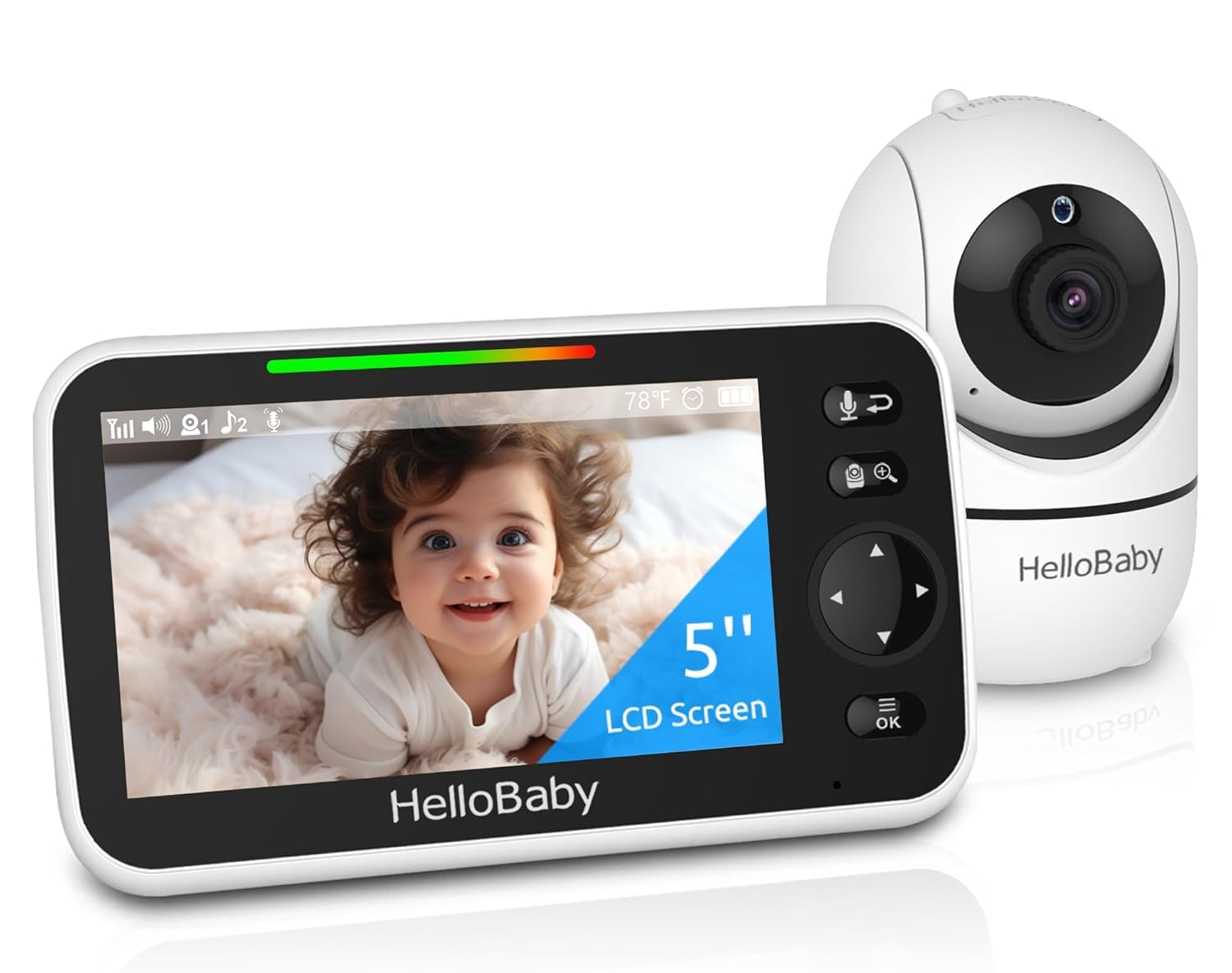
Video baby monitors with Wi-Fi add a camera to show live images or videos of your baby. You can watch your baby on a screen or through a smartphone app. This feature gives extra assurance, especially during sleep time. Some popular products in this category include Infant Optics and Nanit. These monitors use advanced video monitoring technology, but parents should consider baby monitor safety and secure network settings to avoid privacy risks.
For example, the Nanit Plus Smart Baby Monitor offers HD video quality and secure Wi-Fi streaming for peace of mind
If you prefer a non-Wi-Fi option, the Infant Optics DXR-8 is an excellent choice with a secure, dedicated signal.
| Type | Main Features | Pros | Cons |
|---|---|---|---|
| Audio-only | Sound transmission, simple setup | Low cost, less EMF exposure, easy to use | No video feed, limited monitoring |
| Video with Wi-Fi | Live video and audio, smartphone access | Visual confirmation, advanced features | Higher cost, potential privacy risks, more EMF exposure |
Parents must weigh the benefits of clear video against the simplicity and safety of audio-only devices. Both types are common monitoring devices for babies and come from trusted manufacturers. Understanding these types helps in choosing the best baby monitor for your family’s needs.
Credit: www.amazon.com
How Do Video Baby Monitors Work?
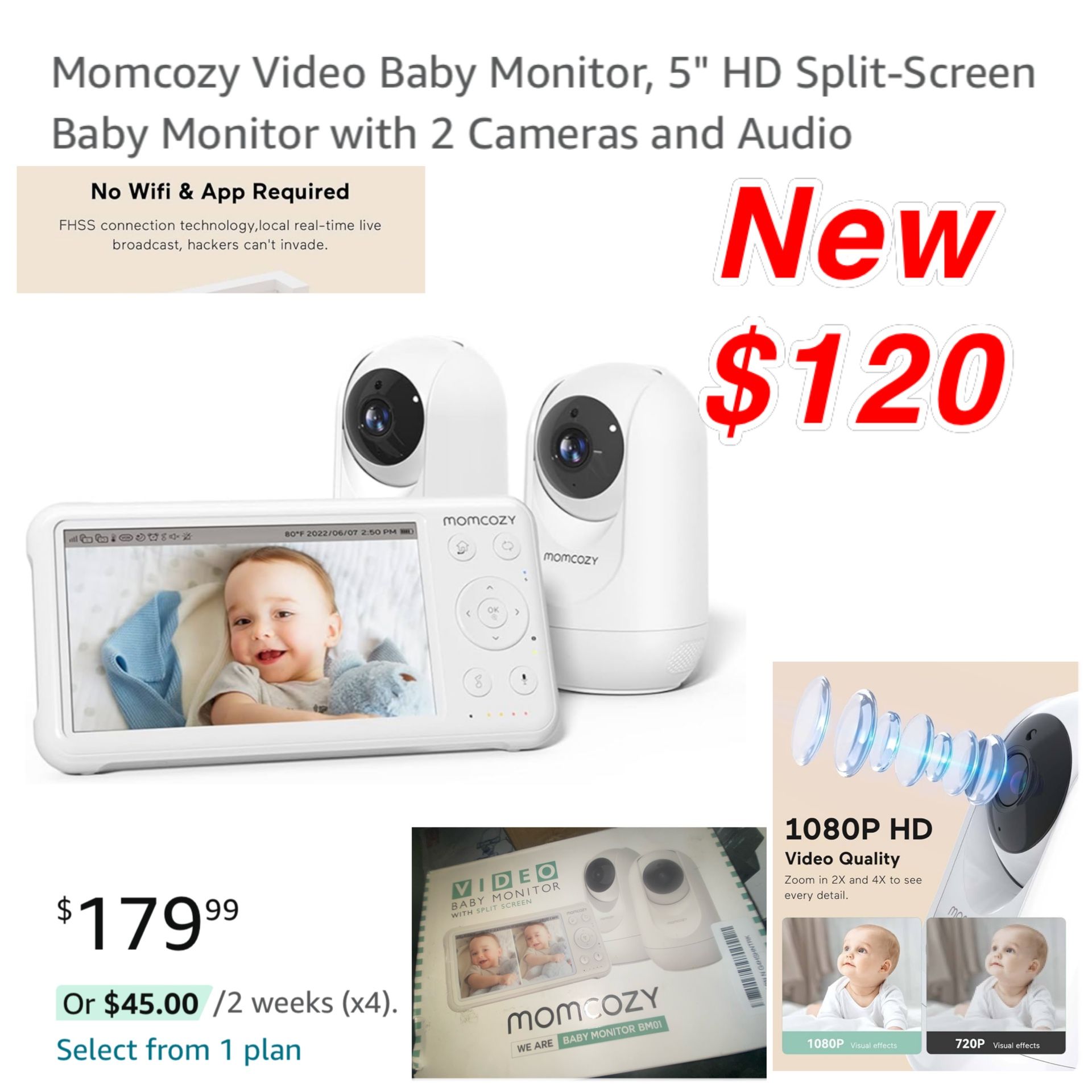
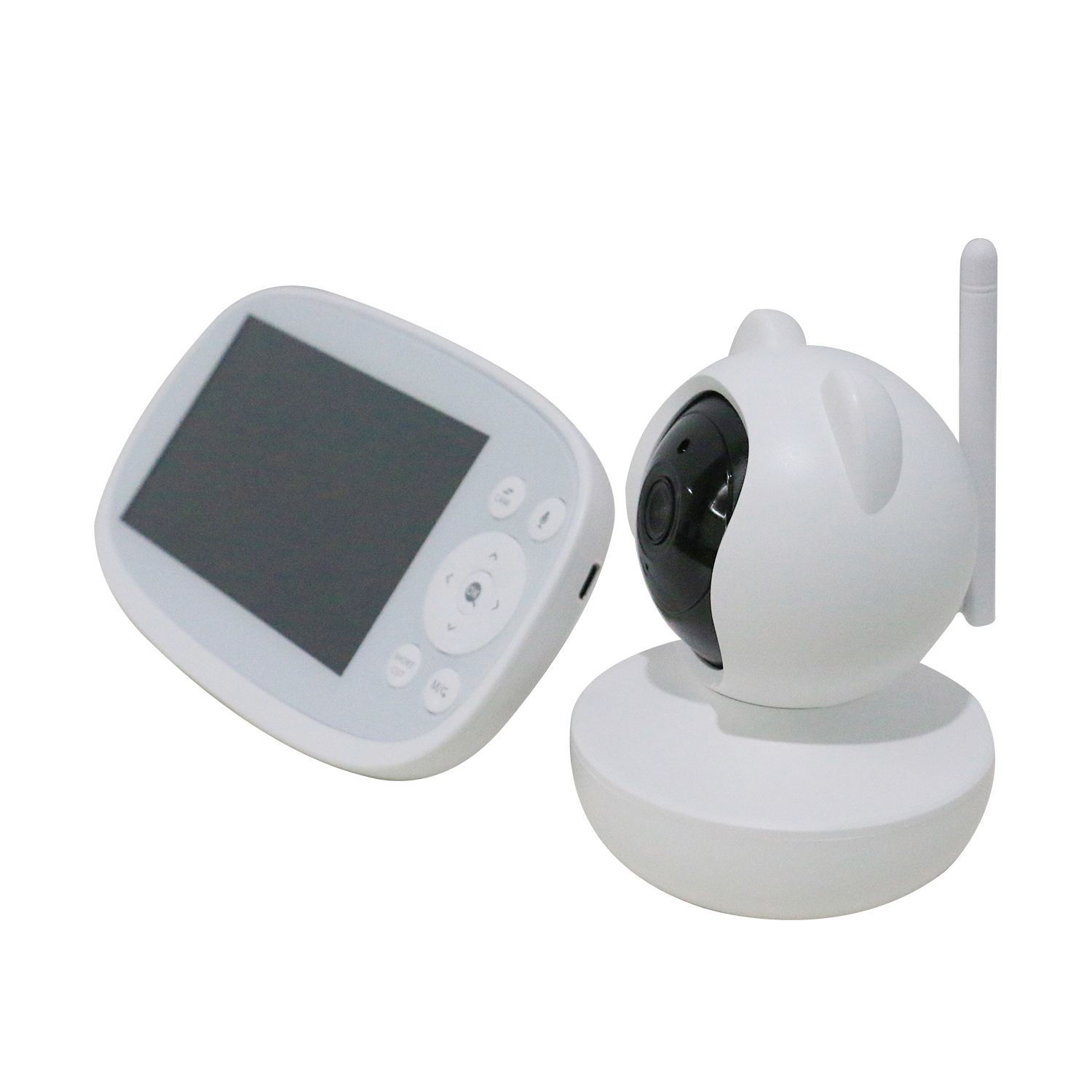
Video baby monitors provide parents with a clear view of their baby alongside sound monitoring. Unlike audio-only devices, these monitoring devices with camera offer visual reassurance and help detect subtle movements or expressions. Understanding how video baby monitors work can help parents choose the right product for their needs. These devices transmit live video and audio signals from the baby’s room to a parent unit or smartphone app. This section explains their working system, key features, security concerns, and the advantages and disadvantages of using video baby monitors.
How They Work
Video baby monitors use a camera and microphone placed near the baby’s crib. The camera captures real-time video, while the microphone picks up sounds. Both signals are sent to a receiver device or a mobile app through wireless connections.
- Camera Setup: Positioned to cover the baby’s area clearly, often with night vision for low light.
- Signal Transmission: Uses Wi-Fi or radio frequencies to send video and audio.
- Receiver Unit: A dedicated monitor or smartphone app shows live video and plays sounds.
Many video baby monitors connect to home Wi-Fi networks, allowing parents to check on their baby from anywhere. Others use a closed radio frequency band for better privacy but limited range. Some models also include two-way communication so parents can talk back to the baby.
| Component | Function |
|---|---|
| Camera | Captures video and sometimes infrared images at night |
| Microphone | Captures baby’s sounds |
| Transmitter | Sends data wirelessly to receiver or app |
| Receiver/App | Displays video and plays audio to parents |
Key Features
Video baby monitors come with features designed for ease of use and safety. These features improve the monitoring experience and provide parents with peace of mind.
- Night Vision: Infrared LEDs allow clear video in dark rooms.
- Two-Way Audio: Enables parents to speak to their baby through the monitor.
- Pan, Tilt, Zoom: Remote control of camera angle for better viewing.
- Temperature Sensors: Alerts if the baby’s room is too hot or cold.
- Motion and Sound Alerts: Notifies parents of movement or noise.
- Wi-Fi Connectivity: Allows remote viewing on smartphones.
Some advanced models include lullabies, sleep tracking, or integration with smart home systems. Choosing features depends on what parents find most useful for their daily routine.
Security & Privacy
Security is a top concern for video baby monitors. These devices handle sensitive video feed privacy and must protect data from unauthorized access. Many modern monitors use encryption to secure transmissions.
- Encrypted Baby Monitors: Use strong encryption protocols to keep video and audio safe.
- Wi-Fi Baby Monitors: Should have secure passwords and updated firmware to prevent hacking.
- Data Storage: Some devices store video on cloud servers; choosing providers with good privacy policies is important.
- Access Control: Only authorized users should access the monitor’s feed or app.
Parents should avoid default passwords and keep software updated. Being aware of potential risks helps maintain a secure monitoring environment.
Pros And Cons
Video baby monitors offer clear advantages but also some drawbacks. Knowing these helps parents decide if video monitoring suits their needs.
| Pros | Cons |
|---|---|
| Visual monitoring provides peace of mind | More expensive than audio-only monitors |
| Allows parents to see baby’s movements and expressions | Wi-Fi models may have security risks if not secured properly |
| Night vision helps in low-light conditions | Battery or power dependency can limit portability |
| Two-way communication so parents can soothe baby remotely | Video feed privacy concerns if encryption is weak |
| Remote access from smartphones for convenience | Possible signal interference or range limits on some models |
Balancing these pros and cons ensures parents select a baby monitor that fits their lifestyle and comfort level.
How Do Audio Baby Monitors Work?
Choosing between video and audio baby monitors depends on what parents need most. Audio baby monitors focus on sound, letting you hear your baby without video. Understanding how audio baby monitors work helps in making a smart choice. These devices capture sounds in the baby’s room and send them to a receiver you keep with you. Simple and effective, audio monitors can be a great option for many families.
The Philips Avent DECT Audio Baby Monitor is an audio-only option that’s simple to use and offers clear sound transmission.
How They Work
Audio baby monitors use a microphone placed near the baby’s crib to pick up sounds. These sounds include crying, cooing, or any other noise your baby makes. The microphone converts sound waves into an electrical signal. This signal is then transmitted wirelessly to a receiver unit you carry or keep nearby.
The transmission usually happens over radio frequencies (RF). Some newer models use digital signals for clearer audio and less interference. The receiver plays the sound through a speaker or headphones, so you can hear your baby clearly.
Key steps in audio baby monitor operation:
- Microphone captures sound.
- Sound converted to electrical signals.
- Signals transmitted wirelessly.
- Receiver picks up signals and plays sound.
Low-cost baby monitors often use analog transmission, which may pick up noise from other devices. Digital monitors offer better sound quality and privacy. Simple audio monitors focus only on sound, making them easy to use and reliable.
Key Features
Audio baby monitors come with several useful features. These enhance usability and ensure parents can respond quickly to their baby’s needs. Some features are standard, while others depend on the model and price.
- Range: The distance between the baby unit and the parent unit. Most cover 300-1000 feet.
- Sound Activation: The monitor turns on only when it detects noise, saving battery.
- Volume Control: Allows adjusting the sound level on the receiver.
- Battery Life: Important for portability. Some models have rechargeable batteries.
- Two-Way Communication: Lets parents talk back to the baby through the monitor.
Many simple audio monitors keep these features basic to reduce cost. Low-cost baby monitors often lack advanced options but still deliver clear sound. Some models include night lights or lullabies to soothe the baby.
| Feature | Benefit |
|---|---|
| Sound Activation | Conserves battery by activating only on noise |
| Range | Ensures signal reaches parent unit at home or yard |
| Two-Way Talk | Allows comforting baby without going to the room |
Privacy And Safety
Privacy is a key concern with any baby monitor. Audio baby monitors use wireless signals, which can be intercepted if not secure. Digital monitors offer better encryption than analog ones, reducing risks.
Parents should check for features like:
- Encrypted transmission: Protects audio data from outsiders.
- Frequency hopping: Changes signal frequency to avoid hacking.
- Secure pairing: Ensures only your receiver connects to your baby unit.
EMF radiation in audio monitors is very low. These devices emit small amounts of radiofrequency energy, similar to other home electronics. Choosing monitors certified for safety can ease concerns.
Simple audio monitors often do not have advanced security but remain safe if used properly. Placing the baby unit away from walls and metal objects improves signal quality and reduces interference.
Pros And Cons
Audio baby monitors have clear advantages and some drawbacks. Understanding these helps parents decide if an audio monitor suits their needs better than a video monitor.
| Pros | Cons |
|---|---|
| Usually low-cost baby monitors | No visual of the baby’s room |
| Long battery life and simple use | Sound may be unclear if interference occurs |
| Small and easy to carry | Analog models may lack privacy features |
| Less EMF radiation compared to video monitors | Cannot monitor baby’s movements or breathing visually |
Choosing an audio baby monitor means trusting your ears. For many, this is enough. Others prefer video monitors for extra peace of mind. Simple audio monitors work well for parents wanting a basic, reliable device at a lower price.
Credit: grupothermotek.com
Safety Considerations: Video Baby Monitors
Choosing between video and audio baby monitors requires careful thought about safety. Video baby monitors offer clear visuals but also come with safety concerns. Parents must understand these risks to protect their child well. This section highlights key safety points related to video baby monitors, helping parents make safer choices.
The Nanit Plus offers encrypted video streaming to ensure your baby’s privacy is safeguarded.
Health Risks
Video baby monitors emit low levels of electromagnetic radiation. This radiation comes from Wi-Fi or radio frequency signals. Although these levels are usually low, some parents worry about long-term effects on babies.
Here are some health points to consider:
- Radiation Exposure: Continuous exposure might affect a baby’s developing brain.
- Screen Light: The light from video screens can disturb a baby’s natural sleep cycle.
- Device Placement: Placing the monitor too close could increase radiation exposure.
Experts suggest keeping the monitor at least 3 feet away from the baby. Turning off the video screen when not needed can reduce light exposure.
| Health Risk | Description | Prevention Tips |
|---|---|---|
| Electromagnetic Radiation | Low-level signals emitted by the device. | Keep distance; use audio-only mode if possible. |
| Screen Light | Blue light can disrupt sleep patterns. | Turn off screen during sleep; dim brightness. |
| Overheating | Monitor overheating may cause burns or fire risk. | Place on firm surface; avoid covering the device. |
Privacy Risks
Video baby monitors connect to home Wi-Fi networks. This connection can create privacy concerns. Hackers may gain access to live video feeds if the device lacks security.
Key privacy risks include:
- Unauthorized Viewing: Strangers might watch the baby without permission.
- Data Breaches: Personal data stored on the device or cloud can be stolen.
- Weak Passwords: Default or simple passwords make hacking easier.
Parents should follow these safety tips:
- Change default passwords immediately after setup.
- Use strong, unique passwords for device and Wi-Fi.
- Keep monitor firmware updated to fix security bugs.
- Disable remote viewing if not needed.
Here is a quick checklist for privacy safety:
| Privacy Tip | Reason |
|---|---|
| Change Default Passwords | Prevents easy unauthorized access. |
| Use Strong Passwords | Protects device and network security. |
| Keep Firmware Updated | Fixes vulnerabilities and bugs. |
| Turn Off Remote Access | Limits exposure to outside threats. |
Disruption Of Sleep
Video baby monitors can affect both baby’s and parents’ sleep quality. Constant video monitoring creates noise and light disturbances. These interruptions may cause frequent awakenings.
Common causes of sleep disruption include:
- Screen Glow: The monitor’s light can keep the baby awake.
- Alert Sounds: Frequent alarms or noises disturb deep sleep.
- Parental Anxiety: Watching the baby live may increase stress and reduce parental rest.
Tips to reduce sleep disruption:
- Use night mode or turn off the screen during sleep hours.
- Adjust volume and alert settings to minimize noise.
- Limit monitor use to check-ins rather than constant viewing.
| Sleep Disruption Cause | Effect | Solution |
|---|---|---|
| Screen Light | Baby wakes more easily. | Turn screen off or dim brightness. |
| Loud Alerts | Interrupts parent and baby sleep. | Lower volume or mute non-urgent alerts. |
| Parental Stress | Leads to poor sleep quality for parents. | Set specific monitoring times; avoid constant watching. |
Safety Considerations: Audio Baby Monitors
Choosing between video and audio baby monitors involves many factors. One key aspect is safety, especially with audio baby monitors. These devices focus only on sound, which can offer specific safety benefits. Understanding these can help parents decide what suits their family best. Safety considerations for audio baby monitors include concerns about electromagnetic fields, privacy, and reliability.
For parents concerned about EMF exposure, the VTech Safe & Sound Audio Monitor provides a low-radiation alternative with excellent sound clarity.
Lower Emf Exposure
Audio baby monitors generally emit less electromagnetic frequency (EMF) radiation than video monitors. EMFs come from wireless signals needed to transmit data. Since audio monitors send only sound, they use less bandwidth and power.
- Reduced signal strength: Audio monitors often have lower transmission power.
- Less continuous data: No video feed means fewer signals are sent.
- Simple technology: Many audio monitors use analog signals, which emit less EMF.
Lower EMF exposure is important for parents who worry about potential health effects. Though scientific evidence is still emerging, many prefer to minimize their child’s exposure. Audio monitors can be a safer choice for families wanting to reduce wireless radiation in their home.
| Feature | Audio Monitor | Video Monitor |
|---|---|---|
| EMF Emission Level | Low | Moderate to High |
| Type of Signal | Analog/Digital (mostly sound) | Digital (sound + video) |
| Data Transmission | Less frequent, smaller packets | Continuous, large data packets |
Privacy
Audio baby monitors offer stronger privacy compared to video monitors. They only transmit sound, which means less chance of video leaks or hacking. Families concerned about digital security often choose audio monitors for this reason.
- No visual data: No images or videos are sent, reducing privacy risks.
- Simpler encryption: Audio signals are easier to protect and monitor.
- Less stored data: No video recordings to worry about on devices or clouds.
Privacy risks can arise if baby monitor signals are intercepted. Video monitors are more vulnerable due to live video streams. Audio monitors reduce this threat by limiting transmissions to sounds only. Parents can further improve privacy by:
- Using monitors with secure, encrypted channels.
- Changing default passwords regularly.
- Choosing analog audio monitors to avoid Wi-Fi hacking.
Reliability
Audio baby monitors often provide more reliable performance. They depend on simpler technology and fewer data streams. This leads to fewer connection drops and less interference.
- Longer battery life: Audio monitors usually consume less power.
- Better range: Sound transmission needs less bandwidth, so range can be wider.
- Less lag time: Audio signals transfer quickly, allowing real-time alerts.
Video monitors can lose connection if the Wi-Fi is weak or busy. Audio monitors, especially analog types, work well even in areas with poor internet. Parents who prioritize constant monitoring without interruptions may prefer audio monitors.
| Reliability Factor | Audio Monitor | Video Monitor |
|---|---|---|
| Connection Stability | High | Moderate |
| Battery Life | Longer | Shorter |
| Signal Range | Wider | Limited |
| Latency | Low | High |
Comparing Video And Audio Monitors
Choosing between a video and an audio baby monitor involves understanding their key differences. Both types help parents keep an eye or ear on their baby, but each offers unique benefits. Comparing video and audio monitors helps pick the right one for safety, convenience, and budget. This section breaks down the main factors to consider.
Security And Privacy
Security is a top concern for baby monitors. Video monitors transmit live images, which can be hacked if not properly protected. Audio monitors carry only sound, reducing the risk but not eliminating it. Both types need strong security features to keep your family safe.
- Video Monitors: Often use Wi-Fi or digital signals. Look for encrypted connections to prevent hacking.
- Audio Monitors: Use radio frequencies or digital signals. Digital models are safer than analog ones.
Parents should check for these security features:
- End-to-end encryption
- Password protection
- Secure pairing between monitor and receiver
- Ability to update firmware regularly
| Feature | Video Monitor | Audio Monitor |
|---|---|---|
| Encryption | Usually yes | Some models |
| Risk of Hacking | Higher | Lower |
| Password Protection | Common | Available |
Tip: Choose monitors with strong security settings to protect privacy.
Range And Connectivity
Range determines how far parents can move while staying connected to the baby. Connectivity type affects signal quality and stability.
Video monitors often rely on Wi-Fi or digital signals. Wi-Fi models can work anywhere with internet but may face interference or lag. Non-Wi-Fi video monitors use dedicated frequencies but have limited range.
Audio monitors use radio frequencies, which often provide longer range and fewer connection issues.
- Video monitor range: 800 to 1,000 feet indoors, more outdoors.
- Audio monitor range: 1,000 to 1,500 feet indoors, higher outdoors.
Connectivity types:
- Wi-Fi: Video only, allows remote viewing on smartphones.
- Digital RF: Both types, stable and private.
- Analog RF: Audio only, less secure and prone to interference.
| Monitor Type | Typical Range (Indoor) | Connectivity | Signal Stability |
|---|---|---|---|
| Video (Wi-Fi) | Unlimited (Internet-based) | Wi-Fi | Can lag or drop |
| Video (Digital RF) | 800-1,000 feet | Digital RF | Stable |
| Audio (Digital RF) | 1,000-1,500 feet | Digital RF | Very stable |
| Audio (Analog RF) | Up to 1,200 feet | Analog RF | Prone to interference |
Battery Life
Battery life affects how long a monitor works without charging. It is important for mobility and convenience.
Audio monitors usually have longer battery life. They use less power because they only transmit sound.
Video monitors consume more power. The screen and camera need energy, which drains batteries faster.
- Audio monitors: 12 to 24 hours on a full charge.
- Video monitors: 6 to 12 hours on a full charge.
Some monitors offer these features:
- Rechargeable batteries
- Battery-saving modes (e.g., screen off when not needed)
- Low battery alerts
Example:
| Monitor Type | Battery Life (Hours) | Battery Type |
|---|---|---|
| Audio Monitor | 12-24 | Rechargeable or replaceable |
| Video Monitor | 6-12 | Rechargeable |
Choose a monitor with battery life that matches your daily routine.
Cost Considerations
Cost influences the choice between video and audio monitors. Budget and desired features play a role.
Audio monitors are usually cheaper. They offer basic sound monitoring without video features.
Video monitors cost more due to cameras, screens, and extra functions like night vision.
- Audio monitors start around $30 to $100.
- Video monitors range from $70 to $250 or more.
Extra costs may include:
- Replacement batteries
- Subscription fees for cloud storage (video monitors)
- Additional cameras or accessories
Here is a simple comparison:
| Cost Factor | Audio Monitor | Video Monitor |
|---|---|---|
| Base Price | $30 – $100 | $70 – $250+ |
| Extra Features | Limited | Night vision, temperature, remote viewing |
| Subscription Fees | Rare | Possible for cloud services |
Balance your needs with the budget. Choose what fits your family best.
Which Type Of Monitor Is Safer For Your Baby?
Choosing between a video or audio baby monitor raises an important question: which type is safer for your baby? Safety involves more than just watching or listening. It includes concerns like EMF exposure, privacy risks, and how these devices affect your baby’s sleep. Understanding these factors helps parents pick safe baby monitors that protect their child’s health and privacy. Both video and audio monitors have pros and cons. Knowing these details guides you to the best choice for your family’s peace of mind.
Head-to-head Comparison
Video and audio baby monitors differ in how they work and what risks they carry. Video monitors show live images, while audio monitors send sound only. Each has safety aspects that parents should weigh carefully.
- EMF Exposure: Video monitors often emit higher EMF radiation because they transmit video signals. Audio monitors usually have lower EMF exposure, making them a safer option in this regard.
- Privacy Risks: Video monitors can be hacked, leading to serious privacy concerns with baby monitors. Audio-only devices are less prone to hacking but still require secure connections.
- Sleep Impact: Video monitors may cause parents to check on the baby more frequently, potentially disturbing the baby’s sleep. Audio monitors offer less distraction, which might support better sleep patterns.
| Feature | Video Monitor | Audio Monitor |
|---|---|---|
| EMF Exposure | Higher, due to video transmission | Lower, audio only |
| Privacy Risks | Higher risk of hacking | Lower risk |
| Sleep Impact | May disturb baby’s sleep | Less disruptive |
| Parental Peace of Mind | Visual reassurance | Sound reassurance only |
Choosing a monitor depends on which risks matter most. Parents focused on reducing EMF radiation in video monitors might prefer audio models. Those wanting to watch their baby visually should use strong passwords and secure networks to reduce privacy concerns with baby monitors.
Safety Best Practices
Safe baby monitors need proper use to limit baby monitor health risks and privacy concerns. Follow these tips to keep your baby safe and your data private.
- Place the monitor at a safe distance. Keep devices at least 3 feet from the crib to reduce EMF exposure.
- Use strong, unique passwords. Prevent hacking by changing default passwords and updating them regularly.
- Secure your Wi-Fi network. Use encryption and avoid public or unsecured networks for video monitors.
- Limit screen time. Avoid constant monitoring that may disturb your baby’s sleep.
- Turn off monitors when not in use. This reduces unnecessary EMF radiation and saves battery life.
- Check for safety certifications. Choose monitors tested for low EMF emissions and quality standards.
Parents should also regularly update monitor firmware to fix security holes. Avoid sharing monitor access with many people to reduce privacy risks. Using these best practices helps lower baby monitor health risks and protects your family’s privacy. Awareness and care make any monitor safer for your baby’s well-being.
Credit: dailyplanetvt.com
Choosing The Right Monitors
Choosing the right baby monitor is a key decision for parents. The choice between a video vs audio baby monitor depends on many factors. Both types offer unique advantages for keeping an eye and ear on your baby. This section helps you understand how to pick the best device based on your lifestyle, budget, and must-have features. A smart choice improves comfort and safety for you and your child.
Lifestyle And Needs
Your daily routine and home setup affect the choice of baby monitoring technology. Consider how you move around the house and the level of monitoring you need.
- Active lifestyle: Parents who move between rooms often benefit from wireless baby monitors with good range and portability.
- Multiple children: Some monitors allow connecting several cameras or audio units for watching more than one room.
- Light sleepers: A video baby monitor offers peace of mind by showing real-time images, reducing anxiety about noises.
- Privacy concerns: An audio baby monitor may feel safer for parents wary of cameras.
Below is a quick guide for lifestyle impact on baby monitor choice:
| Lifestyle Aspect | Recommended Monitor | Reason |
|---|---|---|
| Frequent mobility | Wireless audio or video | Easy to carry and monitor anywhere |
| Large home or multiple kids | Video with multiple cameras | Monitor several rooms at once |
| Concerned about privacy | Audio only | No video recording or streaming |
| Desire visual confirmation | Video baby monitor | See baby’s behavior clearly |
Budget Factors
Understanding baby monitor budget considerations helps to select a device that fits your finances. Prices vary widely between audio and video monitors.
Audio baby monitors usually cost less. They focus on sound transmission and basic features. Video baby monitors include screens, cameras, and sometimes smartphone connectivity, adding to the price.
Here is a simple breakdown:
| Monitor Type | Typical Price Range | Common Features |
|---|---|---|
| Audio Baby Monitor | $20 – $80 | Sound detection, volume control, two-way talk |
| Video Baby Monitor | $70 – $200+ | Live video, night vision, temperature sensors, app alerts |
Consider these tips for budget planning:
- Set a maximum budget before shopping.
- Focus on baby monitor additional features that add real value.
- Look for monitors with good reviews on reliability.
- Think about long-term use versus one-time cost.
Additional Features To Consider
Extra features can enhance your baby monitoring experience. Explore baby monitor additional features that match your needs and improve safety.
- Two-way communication: Talk to your baby or soothe them without entering the room.
- Night vision: Clear video in dark rooms helps monitor sleeping babies.
- Temperature sensors: Keep track of the nursery temperature for baby comfort.
- Movement alerts: Some monitors notify parents if no movement is detected for a while.
- Smartphone app integration: Access live video or sound remotely on your phone.
- Battery life: Longer battery life means less frequent charging.
- Secure connection: Protect privacy with encrypted wireless signals.
Compare these features against baby monitor user preferences to find the best fit:
| Feature | Benefit | Best For |
|---|---|---|
| Two-way talk | Comfort baby remotely | Working parents, naptime monitoring |
| Night vision | Clear video in dark | Parents needing visual confirmation |
| Temperature sensor | Maintain ideal nursery climate | Newborns sensitive to temperature |
| App integration | Monitor from anywhere | Tech-savvy parents |
Expert Recommendations For Parents
Choosing between video and audio baby monitors can be tricky for parents. Each type offers unique benefits and safety features. Experts suggest focusing on safety, privacy, and peace of mind when picking a monitor. Understanding the differences helps parents make informed decisions. This guide covers expert tips on video monitor safety, audio monitor safety, and privacy concerns.
We recommend the Nanit Plus for its excellent safety features and ease of use.
If you prefer audio-only, the VTech Safe & Sound Audio Monitor a top pick for safety-conscious parents.
Video Monitor Safety
Video monitors provide a clear view of the baby, allowing parents to see movements and surroundings. Experts recommend choosing the best video monitors for safety that include secure connections and reliable alerts.
- Encrypted signals: Look for monitors that encrypt video to prevent hacking.
- Two-way audio: Allows parents to soothe the baby remotely.
- Night vision: Ensures clear images in low light.
- Temperature sensors: Monitor room conditions for baby’s comfort.
Parents should place cameras safely to avoid cords near the crib. Also, select models with automatic shut-off features to prevent overheating. Here is a quick comparison of video monitor safety features:
| Feature | Importance | Recommended |
|---|---|---|
| Encrypted Video | Prevents unauthorized access | Yes |
| Two-Way Communication | Soothes baby remotely | Optional but useful |
| Night Vision | Monitors baby in dark | Must-have |
| Temperature Monitoring | Keeps baby comfortable | Recommended |
Audio Monitor Safety
Audio monitors focus on sound, alerting parents when the baby cries or makes noise. Experts highlight top audio monitors for privacy and safety to avoid false alarms and signal interference.
Parents should choose low EMF baby monitors to reduce exposure to electromagnetic fields. Audio monitors with adjustable volume and sensitivity help parents hear only important sounds.
- Clear sound quality: Ensures no missed cries.
- Secure transmission: Avoids signal hacking.
- Battery life: Long-lasting for overnight use.
- Interference protection: Maintains stable connection.
Audio monitors are simple and often more affordable. They are less likely to invade privacy but offer less visual information. Here’s a quick checklist for audio monitor safety:
- Check encryption and signal security.
- Opt for low EMF models.
- Test volume and sensitivity controls.
- Ensure long battery life.
- Place units away from other electronics.
Best For Privacy
Privacy concerns top the list for many parents. Experts recommend evaluating monitor types based on how well they protect family privacy. Audio monitors often score better for privacy than video ones.
Top audio monitors for privacy use encrypted channels and do not transmit images. Video monitors must have strong security to avoid hacking risks. Parents should avoid monitors connected to public Wi-Fi without protection.
Key privacy tips include:
- Use monitors with password protection.
- Turn off Wi-Fi cameras when not needed.
- Choose devices with local data storage instead of cloud.
- Regularly update device firmware.
Here is a simple table comparing privacy features:
| Monitor Type | Privacy Level | Security Features |
|---|---|---|
| Audio Monitor | High | Encrypted audio, no video |
| Video Monitor | Medium | Password protection, encrypted video |
Choosing the best monitors for peace of mind means balancing safety and privacy. Parents should select models that fit their home setup and comfort level with technology.
Frequently Asked Questions
What Are The Main Differences Between Video And Audio Baby Monitors?
Video monitors provide live visual feed, while audio monitors transmit sound only. Video offers real-time visuals, enhancing baby safety. Audio monitors are simpler and often more affordable. Choice depends on parents’ need for visual reassurance versus basic sound alerts.
Are Video Baby Monitors Better For Newborns Than Audio?
Video monitors offer extra peace of mind for newborns by showing real-time images. Audio monitors suffice for sound alerts but lack visual confirmation. Video is ideal for close monitoring, especially if baby’s health is a concern.
How Does Battery Life Compare In Video Vs Audio Monitors?
Audio monitors generally have longer battery life due to lower power use. Video monitors consume more battery because of continuous video streaming. Parents should consider charging frequency based on monitor type and usage.
Which Baby Monitor Type Offers Better Range And Signal Quality?
Audio monitors usually provide better range and stronger signals in large homes. Video monitors may have limited range due to video data transmission. Range depends on device quality and home structure.
Conclusion
Choosing between video and audio baby monitors depends on your needs. Video monitors let you see your baby clearly. Audio monitors help you hear sounds without distraction. Both offer safety and peace of mind. Think about your budget and home setup.
Some parents prefer video for extra comfort. Others like audio for simplicity and longer battery life. Either choice helps you stay close to your baby. Trust your instincts and pick what feels right. Your baby’s safety matters most.

Emma Grace is a devoted mother and passionate content writer at BestBabyCart.com. With firsthand parenting experience and a love for research, she creates helpful guides and honest reviews to support parents in choosing the best for their babies. Her goal is to make parenthood easier, one article at a time.